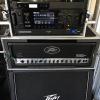
gcompton Posted September 5, 2016 Share Posted September 5, 2016 I was experiencing a weird issue with my Helix, so I decided to do a reset on it. As it turns out, I had a corrupted preset that was causing the issue. However, now I have a weird issue that I haven't been able to figure out. I use my Helix to switch the channels on my Peavey 6505+. I had buttons mapped to send and EXT AMP signal that matched up with my snapshots. Now that I reset the Helix and brought just my presets in, the amp switching isn't working. However, if I hit the mode button, the the buttons programmed to send the EXT AMP commands are there like a stomp function and the do switch my amp. Does anyone know how to get it to respond back to just the snapshot switching? Quote Link to comment Share on other sites More sharing options...
vmoncebaiz Posted September 6, 2016 Share Posted September 6, 2016 I think you just need to go through each snapshot and press the ext amp switch FS for the ones you want it to change with. You might also have to go into the Menu> Global Settings > Preferences. Make sure "snapshot edits" is on discard, so if you turn effects on/off manually or use the EXT amp FS manually, it won't get saved in that state in the snapshot. Quote Link to comment Share on other sites More sharing options...
vmoncebaiz Posted September 6, 2016 Share Posted September 6, 2016 I also just double checked with Digital Igloo, and apparently the Ext amp control states are recalled for each preset which is even better than I thought this would work. For instance Snapshot 1 is clean channel 1 w/ no FX, Snapshot 2 is clean channel 1 w/ FX Snapshot 3 is Gain channel 2 w/ no FX Snapshot 4 is gain channel 2 w/FX Going from 1 to 3 or 4 will change channels on the amp. Going from 1 to 2 or from 3 to 4 will ignore the ext amp control Quote Link to comment Share on other sites More sharing options...
gcompton Posted September 6, 2016 Author Share Posted September 6, 2016 Oh I definitely understand how it's supposed to work, because it worked before the reset. I spoke to L6 support today and the confirmed that the EXT AMP settings done within the command center are global settings. I have to get home and export my preset and explain my set up so they can test it. They have a feeling that I was lucky enough to have found a bug. 1 Quote Link to comment Share on other sites More sharing options...
Recommended Posts
Join the conversation
You can post now and register later. If you have an account, sign in now to post with your account.
Note: Your post will require moderator approval before it will be visible.