
PierM
-
Posts
1,706 -
Joined
-
Last visited
-
Days Won
88
Everything posted by PierM
-
 The transmitter does auto standby after 4 minutes without signal. So, as soon as you stop playing, the transmitter will auto shut down after 4 minutes with no audio, to preserve the battery charge.
- 1 reply
-
- 1
-

-
Probably all the drivers are being deprecated by core isolation memory integrity. Only way to allow windows 11 to load those drivers is to turn memory integrity off.
-
https://line6.com/support/topic/55438-changing-action-of-shuriken-variax/
- 1 reply
-
- 1
-

-
Input distortion doesnt mean anything without specifying at which stage, since every single stage of an audio chain has an input and an output. Im pretty sure your engineer didnt meant the cause of distortion was happening at your helix input. Something got lost in translation.. :)
-
Any daw will do the job. Just select Helix as audio interface input and your mac speakers as audio interface output. The processed signal from Path A will be available at USB 1/2. (better to use Core Audio drivers at 48Khz, less latency for live monitoring)
-
Studio monitors and guitar amps are like apple and oranges. Two very different device for two very different purposes... :) I find my Yamaha HS5 (mounted into a small studio where a HS8 would sound boomy at volume parity) very helpful for creating tones at studio volumes. Since a modeler is simulating a mic'ed amp that's a pretty much correct use, if you don't need stage volumes. For rehearsal or small gigs a 12" FRFR would be a better choice. In any case I would use a guitar amp as would sound terrible with a modeler, and if I were you I wouldn't expect or ask to any monitor or FRFR to sound like your guitar plugged to your guitar amp. I still see too many guys expecting a modeler plugged into a 8" monitor to sound like a stack of marshals. :)
-
I believe you are confusing Tap/Tempo with Sync/Clock. They are two very different things. Tap Tempo does trigger internal clock. External clock link directly to internal clock, through PPQs, bypassing Tap Tempo. What you are doing sending a continuous sequence of CC64 is to just triggering the tap tempo, which is an input always passing through its own little code logic to calculate and interpolate a time delta between consecutive Taps. This is not a clock, it's just a way to remote the Tap Tempo using external controllers. A typical clock isn't working with just a message per quarter, it needs to send a least 24 PPQ, with the slave calculating its own tempo based on that input which can't be the Tap listener. :) If you want to sync your Helix with an external master, you need to feed it with a MIDI clock. As soon as you send a MIDI clock, and you set your Helix to receive MIDI Clock, you will see that tempo led will start flashing Blue, and Helix will try to stay clocked with that master. Tap Tempo will be bypassed by the external Clock. To achieve a solid sync it's always better to not have other busy MIDI traffic going on, which would introduce jitter and latency making tempo unstable. "Helix can send and receive MIDI clock via its MIDI 5-pin in/out, as well as via USB. MIDI Clock options can be enabled and configured within the “Global Settings > MIDI/ Tempo” options. MIDI Clock Send: Transmit MIDI clock to synchronize the tempo of external pedals, rack gear, and software to the current Helix TAP Tempo rate. MIDI Clock Receive: Synchronize the Helix time-based effects (such as delay and modulation) to incoming MIDI clock from external DAW software, drum machines, keyboard workstations, or other modelers. Note that the Helix Control’s TAP footswitch will flash blue (instead of the default red) to indicate the incoming tempo rate when receiving MIDI clock."
-
Im pretty sure you are not getting any Input Distortion. Problem is somewhere else. ;)
-
Impossible to track down a problem like that from our screen, since there are too many variables. Said that, I couldn't hear any noise on the two clips using studio monitors, apart the background hum which is present on both.
-
You need to look at your Helix input block, and check if the input blinks with red while you are playing (which means signal clipping). If you don't see any red, or better, if it does just blink with green, then input is fine. It's really hard to clip the Helix input with standard pickups, this is why I was guessing something else after the input. Honestly never happened to me in 8 years I use these HX devices... Im of course assuming you don't have pedals in front of your Helix. In this case, let us know what pedal do you have as this could make a BIG difference... :)
-
It can take few days before the approval. I had problems with my original ideascale account and when I opened a new one, took almost a week to receive the approval... We should start an Ideascale to remind them it's 2023 and these processes can be completely automated and botproof...lol!
-
Please define Input Distorsion. Is the input clipping? I would find that pretty weird and not normal, especially with those standard pickups. JTV has hot humbuckers, but nothing that would clip the input. Maybe the engineer was clipping his own inputs, which means checking the gain staging and output settings.
-
If the scribble strip is still safe and working, I would leave it alone. Removing the original protection and glueing the new one is a recipe for a disaster...
-
JOGG; A cheap but great pedal audio interface for Native on M1.
PierM replied to PierM's topic in Helix Native
So, I ended buying another one of these, as I really enjoy it, and I want one velcroed on my pedalboard and another one for mobile use with my laptop. Find out that in the market there are two versions, one with USB micro and the other with USB C. Love the one with USB C, much friendly for my MacBook. -
It's an abandoned product. They will never add new features. Isn't even available at the stores. Forget it. :)
-
Sorry for your problem, but you cant really isolate the offender along that audio pipeline, just by assumptions. It needs to be tested on a bench and pass few core tests. Many are the components that could potentially short that path to ground if faulty, so that would be like rolling the dice. Bring it to a service bench. My 2 cents. :) (all you can do, without doing even more damages, is to check the headphone TRS jack on the PCB. Search for shorts, or unsoldered bits.)
-
EQ Shelf should do the job just fine. Using high shelf it should act like an high pass filter (only low will pass) just smoother.
-
Yeah, but under 1Khz is low frequencies, so why they should put low freqs into the Highs? Im not sure I understand the point here... :)
-
JOGG; A cheap but great pedal audio interface for Native on M1.
PierM replied to PierM's topic in Helix Native
Yep. I also have couple of controllers from them, and it looks like they aren't taking any shortcut. -
Are you talking about cross frequencies? In that case it can't be any different than that, since you need not-overlapping values to make them cross/fade, and then set the "mid-range" compression area. For example; 500Hz on LowXFreq and 3Khz on HighXFreq, means that's the portion you want to compress through the Mid threshold and control through Mid Gain... Said that, those aren't relative to high-cut. High Cut is EQ shaping, Cross Freqs are just "in/out" boundaries to set the midrange. Honestly this is how it works in the Helix, and in any other multi band compressor...
-
JOGG; A cheap but great pedal audio interface for Native on M1.
PierM posted a topic in Helix Native
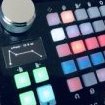
Just wanted to share that I find this little pedal/interface a great companion for Native on Mac M1. Hotone JOGG. Runs without drivers, an incredible roundtrip of just 4.52ms at 32 sample (vs almost 8ms with HX Stomp as interface). Zero glitches and pops on my Macbook Pro M1. HI-Z input, stereo output, headphones port, D.I. XLR, aux in, Direct/DAW footswitch, Master Volume and Gain, USB powered or 9V. Ground Lift switch. Metal case. Great sound, plenty of usable gain, built like a tank. I love it! (not affiliated in any way, just sharing). -
Im not sure about that. I know L6 says it does run natively, but yeah..doesnt look like that. When I installed Native 3.5 on my M1 pro (brand new), MacOs said Rosetta was required to proceed with the installation, and it did it. Same goes with HX Edit. They runs fine tho, even if as Intel process.
-
Just wait for support. Clearly an hardware problem.
-
Your settings are fine. Just turn MIDI THRU off unless you need to resend incoming MIDI to the output. It can engage MIDI loops and data hanging, so use it only if required by your setup. In a setup with just two MIDI device (like via MIDI USB, or connecting both IN and OUT between two device) it must be set to off, otherwise what you send to helix will be bounced back to the sender and fired back to helix in an infinite loop (data hang).
